
在做網站SEO時,你可能聽過“結構化資料”“Schema標記”“富摘要”等詞,但它們究竟是什麼?
簡單來說,結構化資料(Structured Data) 就是讓搜尋引擎“聽懂你網頁內容”的標準語言。
Google、Bing、Yandex、Yahoo 共同推出了 Schema.org,統一了網站如何告訴搜尋引擎:
“這是文章”“這是產品”“這是FAQ”“這是企業資訊”……
搜尋引擎看不懂網頁佈局,但能理解結構化語言,這就是結構化資料存在的意義。
什麼是結構化資料?
結構化資料(Structured Data / Schema Markup)是一種在網頁中新增的“機器可讀標記”,
讓搜尋引擎能明確知道你這段內容的型別與語義。
例如:
- “@type”: “Product” → 告訴Google這是一個產品
- “@type”: “Article” → 告訴Google這是篇文章
- “@type”: “FAQPage” → 告訴Google這是常見問題
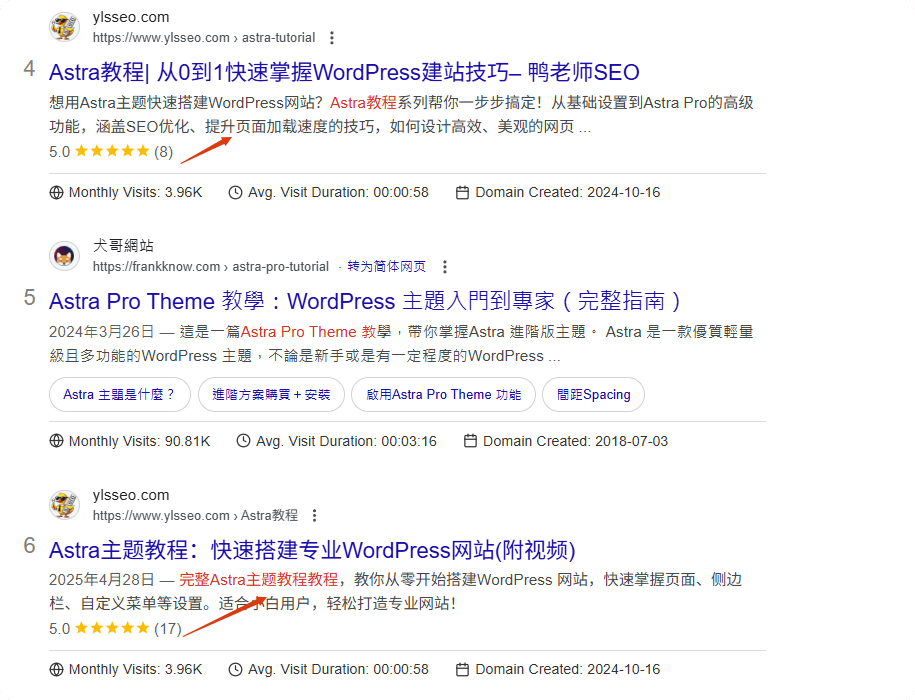
這些標籤雖然使用者看不到,但能幫助Google在搜尋結果中展示更豐富的資訊(Rich Snippets),
如星級評分、價格、麵包屑導航、FAQ摺疊框等。
結構化資料對SEO有什麼好處
1.清楚的告訴搜尋引擎或者AI這部分資訊屬於什麼型別,更容易被理解更快索引。
2.在SERP頁面會有展示,提高吸引力和點選率。
3.其他的就是基於上面兩條,SEO優化效果和排名會提升,AI引用概率更大。
4.在結構化資料加入 Same As:帶上你的社群主頁連結,一行一條,能加快entity實體的生成。
延伸閱讀:什麼是Entity?如何在SEO中建立你的專屬知識實體entity?

結構化資料的型別
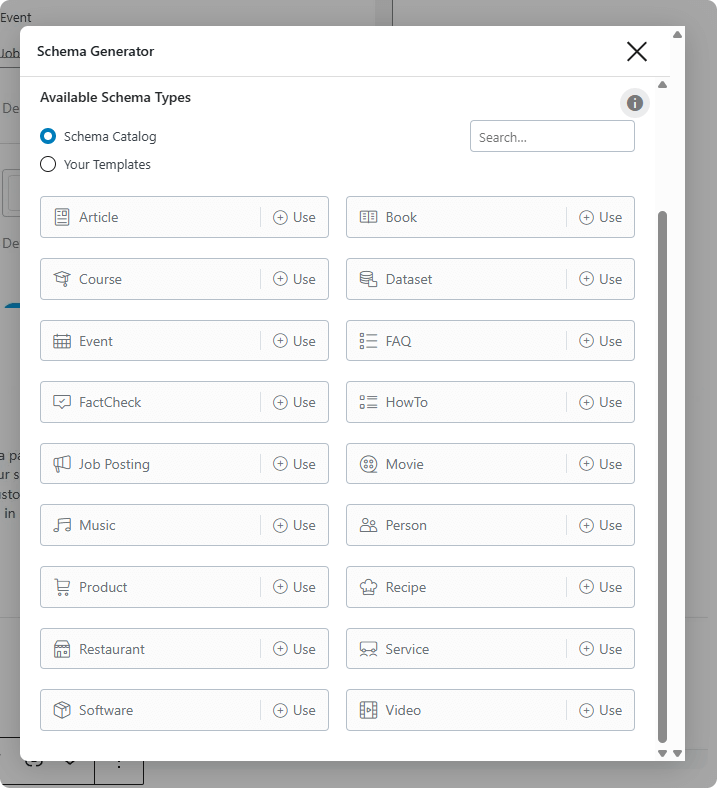
結構化資料有非常多種,例如FAQ、review、aggregating、blog、product、article、breadcrumb等等。
一般wordpress網站,B2B是article,B2C則是product,blog頁面如果你有安裝rank math之類的seo外掛會自動生成blog的結構化資料
| 型別(Type) | 用途說明 | 常見應用頁面 | 關鍵屬性(欄位) |
|---|---|---|---|
| Organization | 展示品牌或公司資訊 | 首頁、關於我們頁 | name、logo、url、sameAs、contactPoint |
| LocalBusiness | 展示門店資訊 | 聯絡頁、實體店頁 | name、address、telephone、geo、openingHours |
| Person | 作者或專家資訊 | 個人簡介頁、部落格頁 | name、url、image、jobTitle、sameAs |
| Website | 網站整體資訊 | 首頁(常設) | name、url、potentialAction(SearchAction) |
| BreadcrumbList | 麵包屑導航 | 所有文章頁 | itemListElement(position、name、item) |
| Article / BlogPosting | 文章或部落格 | 教程、新聞 | headline、author、datePublished、image、articleBody |
| Product | 產品資訊 | 產品頁、電商頁 | name、image、description、brand、sku、offers、aggregateRating |
| Offer | 產品報價與庫存 | 產品頁 | price、priceCurrency、availability |
| AggregateRating | 評分彙總 | 產品或服務頁 | ratingValue、reviewCount |
| Review | 評論 | 產品頁、服務頁 | author、reviewRating、reviewBody |
| FAQPage | 常見問題 | FAQ模組頁 | mainEntity(question、answer) |
| HowTo | 教程 | 實操步驟頁 | name、step、image、tool、supply |
| VideoObject | 視訊資訊 | 視訊頁、文章含視訊 | name、description、thumbnailUrl、uploadDate |
| Event | 活動資訊 | 課程、活動頁 | name、startDate、endDate、location |
| JobPosting | 招聘 | 招聘頁 | title、description、datePosted、employmentType |
| Service | 服務(如GoogleSEO優化服務) | 服務頁 | name、description、provider、areaServed、offers |
| Course | 培訓課程 | 培訓頁 | name、description、provider |
| ImageObject | 圖片資訊 | 所有型別可巢狀 | url、width、height、caption、representativeOfPage |
| SoftwareApplication | 軟體、App | 工具頁 | name、operatingSystem、applicationCategory、offers |
| Recipe | 食譜 | 美食網站 | name、recipeIngredient、recipeInstructions |
補充說明:
- 幾乎所有主型別都可嵌入 ImageObject,用於定義圖片元資料(尺寸、描述、授權等)。
- 若頁面是文章類(Article),推薦同時嵌入 Organization 與 ImageObject,構成複合Schema。
結構化資料怎麼做?
1.利用SEO外掛,例如Rank Math,pro版本還可以一個頁面新增多個schema。

2.根據Google官方提示去寫
例如以下三種格式:
- JSON-LD(推薦)
- 微資料
- RDFa
以下是單獨指定結構化資料的各個專案的示例。其中有 Recipe 和 BreadcrumbList 這兩個不同的專案。
<html>
  <head>
    <title>How To Make Banana Bread</title>
    <script type="application/ld+json">
    [{
      "@context": "https://schema.org/",
      "@type": "Recipe",
      "name": "Banana Bread Recipe",
      "description": "The best banana bread recipe you'll ever find! Learn how to use up all those extra bananas."
    },
    {
      "@context": "https://schema.org",
      "@type": "BreadcrumbList",
      "itemListElement": [{
        "@type": "ListItem",
        "position": 1,
        "name": "Recipes",
        "item": "https://example.com/recipes"
      },{
        "@type": "ListItem",
        "position": 2,
        "name": "Bread recipes",
        "item": "https://example.com/recipes/bread-recipes"
      },{
        "@type": "ListItem",
        "position": 3,
        "name": "How To Make Banana Bread"
      }]
    }]
    </script>
  </head>
  <body>
  </body>
</html>
檢測結構化資料標記


3.Google站長工具的增強功能

4.或者類似AITDK的Google瀏覽器外掛也能檢測。
如果沒有加Schema,Google能識別內容嗎?
可以的,GoogleNLP會根據語義識別文字內容屬於什麼型別,但是不會觸發富媒體卡片展示。
為什麼我添加了schema,但是沒有展示
schema需要配合資料或者文字內容的,假如你加了一個review schema但是沒有使用者評論,會觸發沒有aggregating、review的提示。
富摘要檢測報錯
改為JSON-LD格式。

獨立Google SEO專家,ylsseo.com創始人,基於Google專利、IR與API Leak解讀排名機制,中文SEO啟蒙第一人。